
Hoverbuy
Hoverbuy – Sticky Add to Cart Bar for WooCommerce
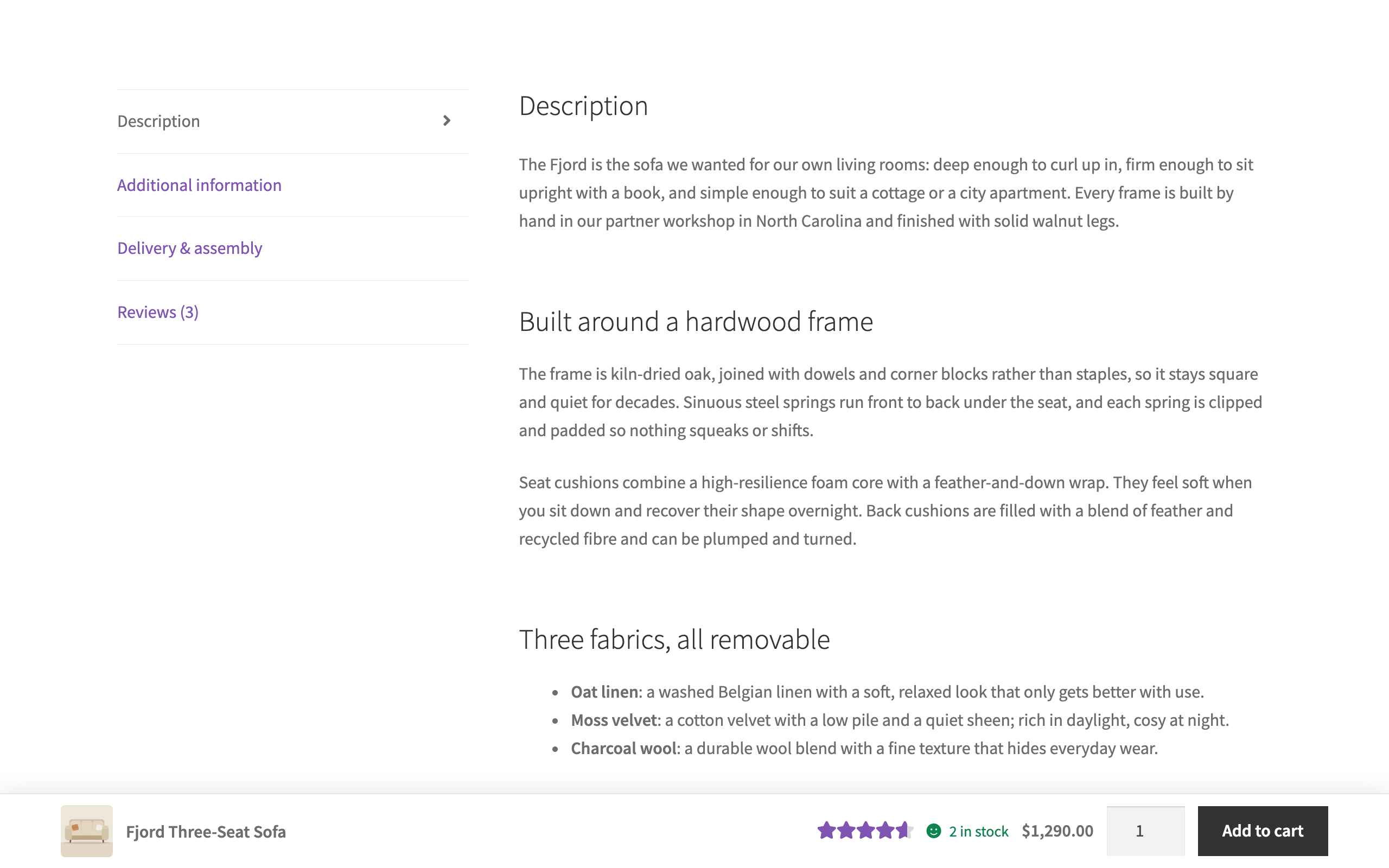
Shows a sticky add to cart bar with image, price, quantity and button once the product page's own Add to cart button scrolls away, variable products included.
What it does
When a shopper scrolls past the product's own Add to cart button, Hoverbuy slides in a slim bar at the bottom or top of the screen with the product image, name, price, a quantity box and an Add to cart button. It does not need a particular theme: it works from the add-to-cart form WooCommerce prints on the product page.
The bar's button does not add anything to the cart by itself. It presses the page's own Add to cart button or submits the product's own form, so WooCommerce adds exactly what the form holds: the chosen variation, the quantity and any fields other plugins put in the form.
Features
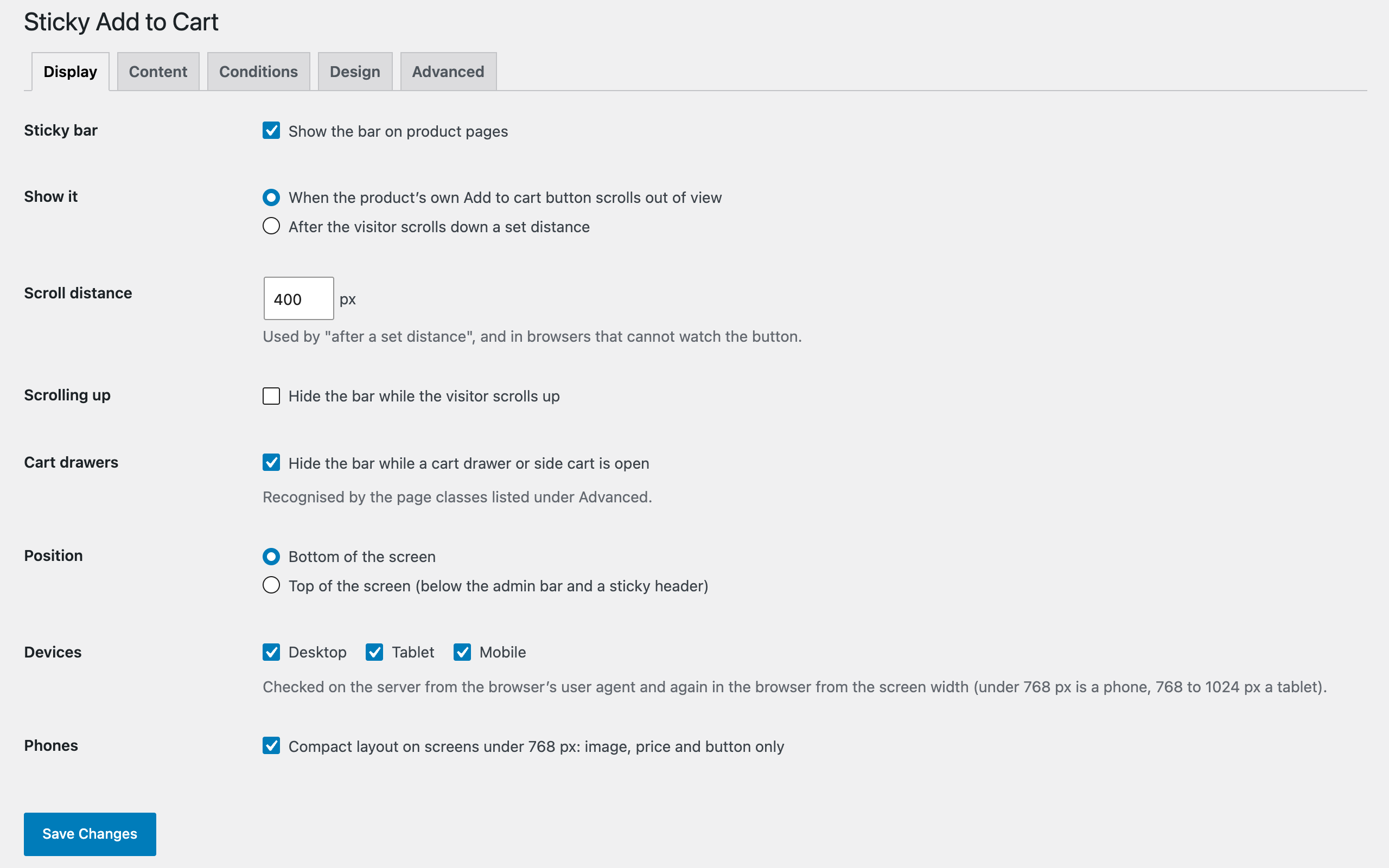
- Appears when it matters. By default the bar shows once the real Add to cart button has scrolled out of view, or after the visitor scrolls a set distance if you prefer. It can hide while the visitor scrolls up and while a cart drawer or side cart is open.
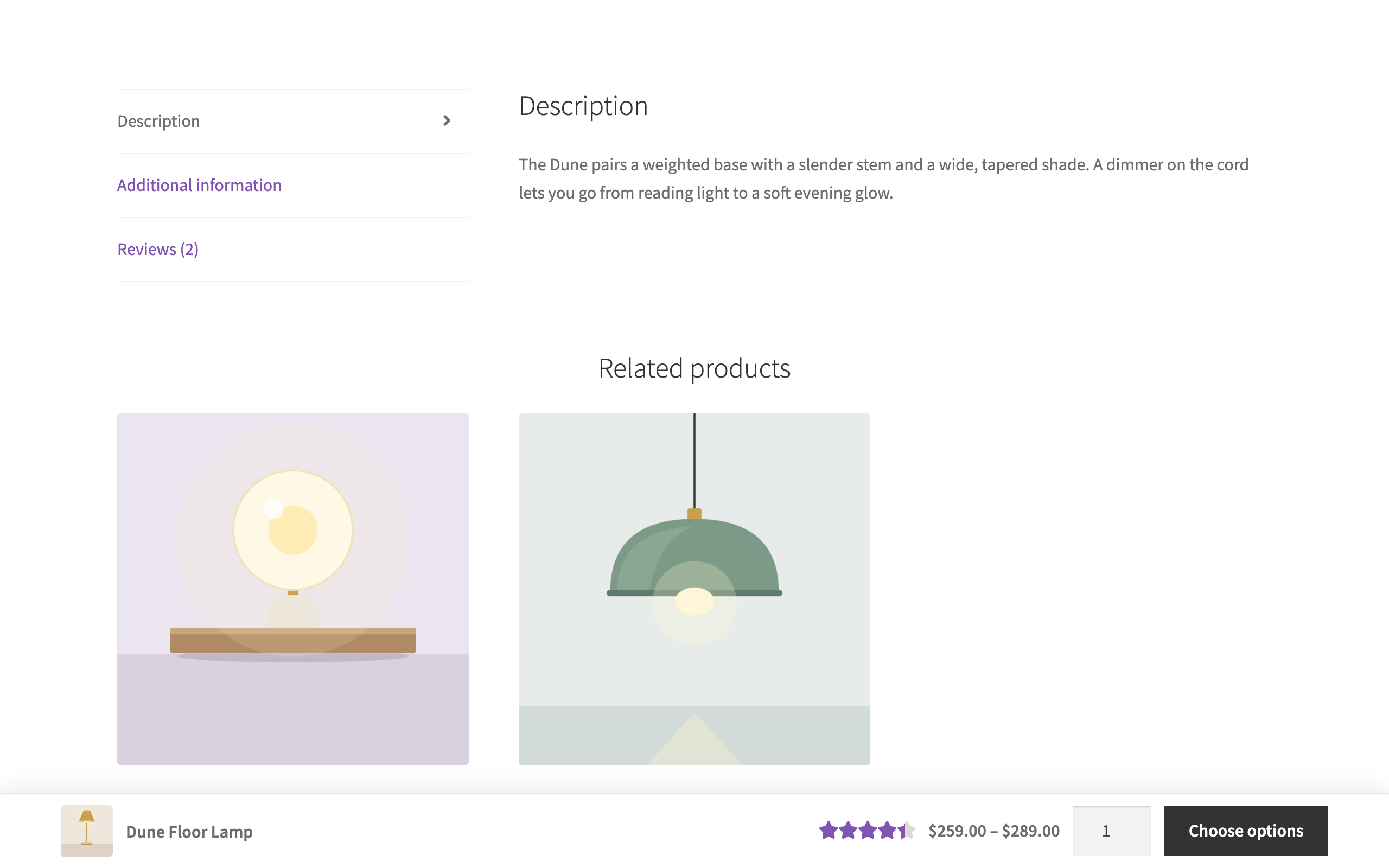
- Variable products. Until a variation is chosen the button reads "Choose options" and takes the shopper back to the product form. After a choice, the bar's price and stock status follow the variation, and its quantity box mirrors the form's.
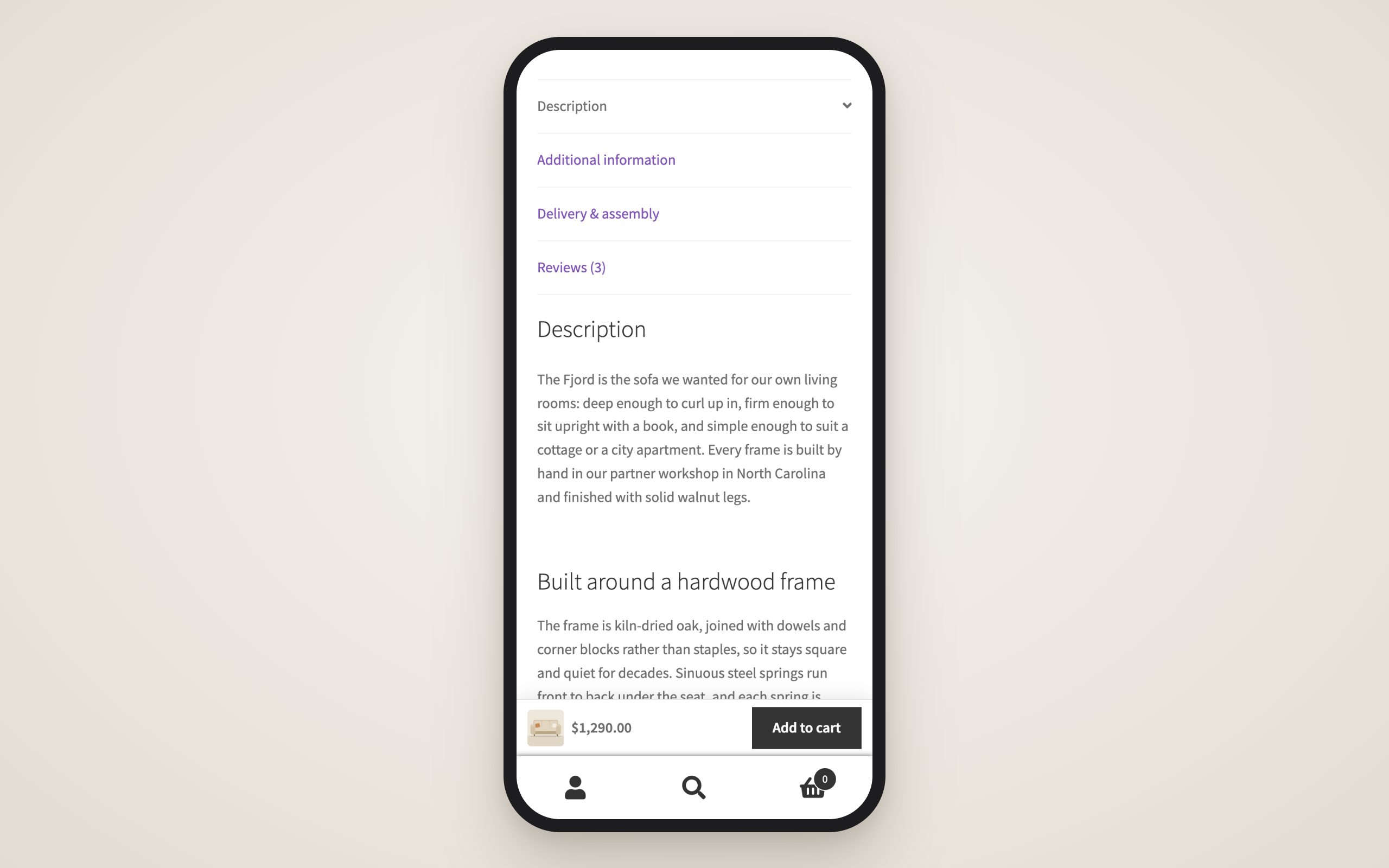
- Position and devices. At the top it sits below the admin bar and a full-width fixed header; at the bottom it sits above a full-width bar such as a mobile navigation bar. Switch it on or off for desktop, tablet and mobile, with a compact phone layout.
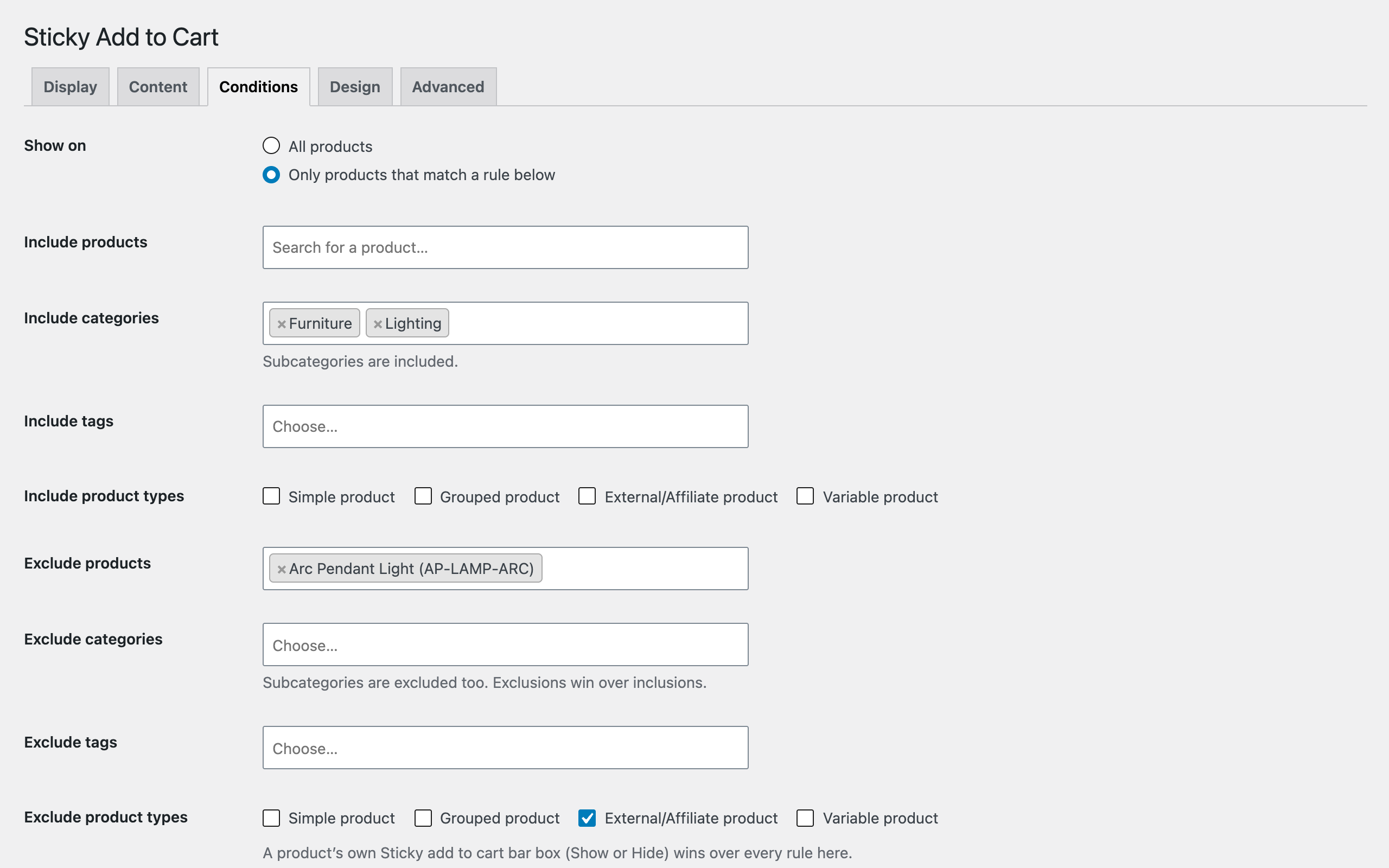
- Conditions and per-product override. Show it on all products or only on chosen products, categories, tags or product types, with exclusions that win over inclusions. A Default, Show or Hide box on each product wins over the rules.
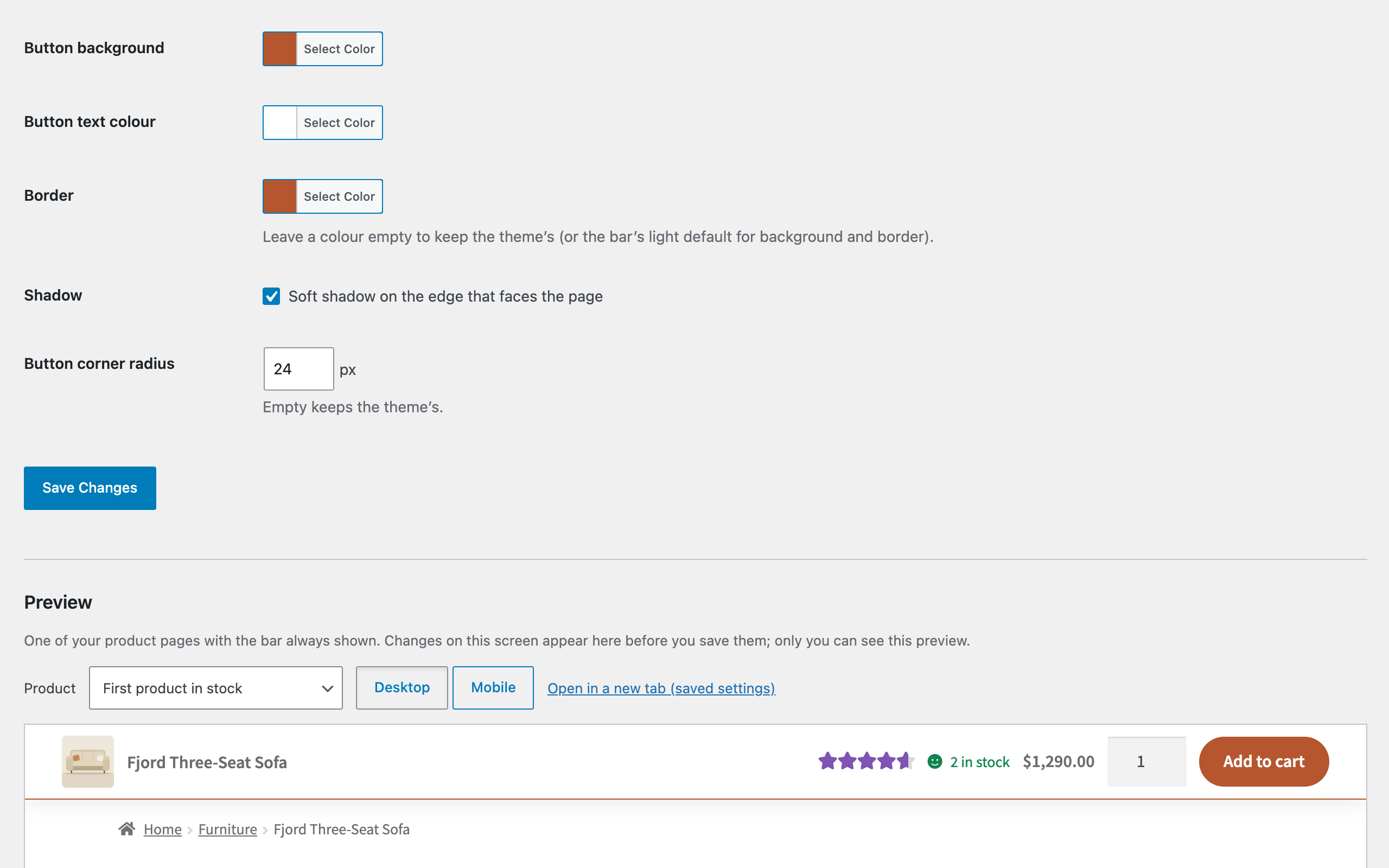
- Design with live preview. Colours, a soft shadow, the button text and corner radius, and an option to use your theme's own button classes, previewed on one of your product pages before you save.
- Accessible and light. Every control is reachable by keyboard, the bar never moves focus on its own, and animations are off when reduced motion is requested. One stylesheet and one script without dependencies, loaded only on product pages where the bar is shown.
Screenshots
Support & source
Bug reports and questions: the WordPress.org support forum for the plugin, or emtiazzahid@gmail.com. The plugin is GPL-2.0-or-later; the full, unminified source ships inside the plugin package.