
Shipeach
Shipeach – Per Product Shipping for WooCommerce
Charges shipping per product and per variation by country, state or postcode, as its own shipping method or added to your other rates, in the classic and block checkout.
What it does
Shipeach lets you set a shipping cost on each product and each variation, by country, state or postcode, and WooCommerce charges it, either as its own shipping method in your zones or on top of your other shipping methods. It is for stores where shipping depends on the item rather than the cart: furniture, art, plants, bulky or fragile goods, drop-shipped items with supplier-set shipping.
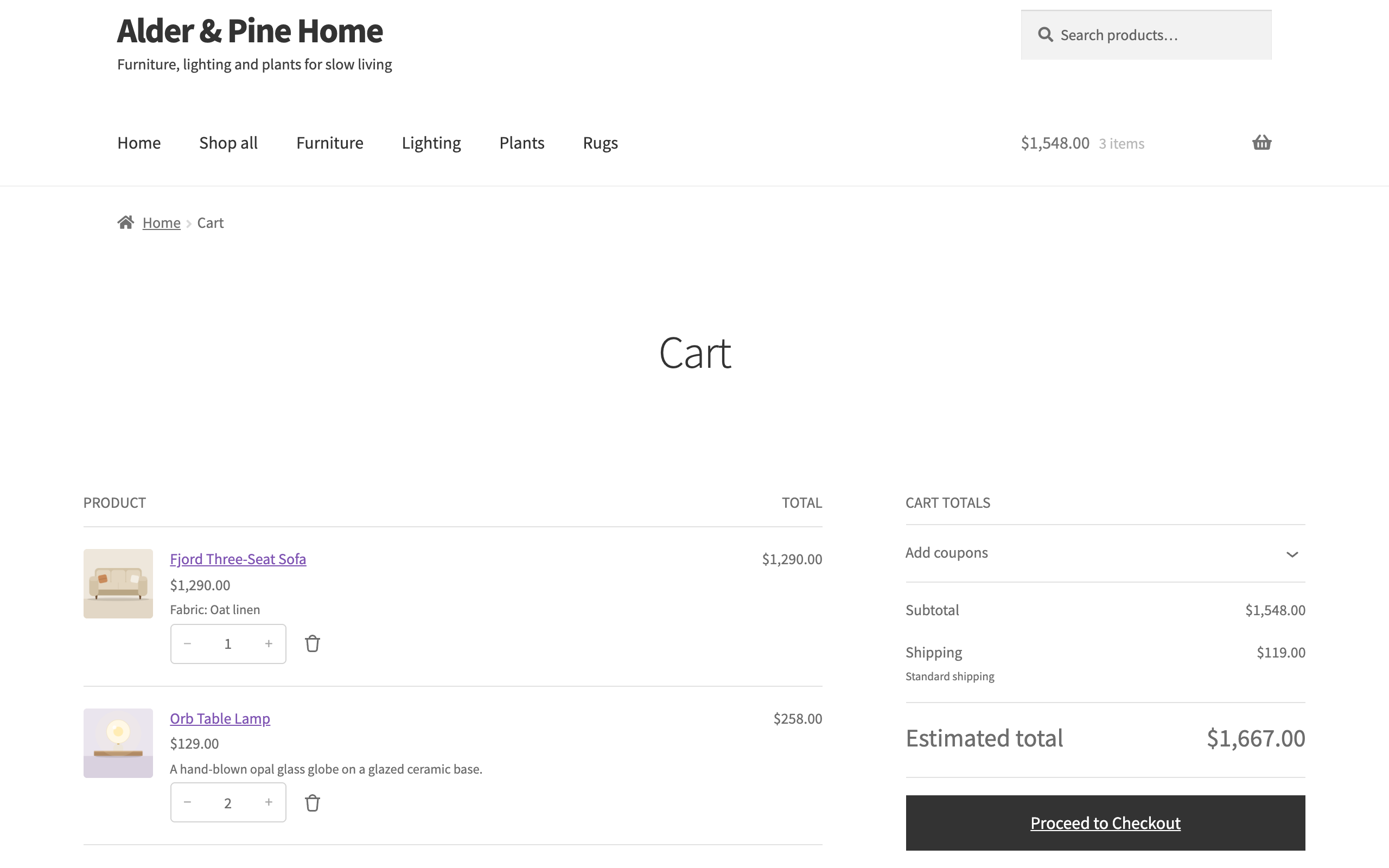
Rates are calculated on the server, so the classic cart and checkout, the block cart and checkout and the Store API all show the same amounts. It does not fetch carrier rates, print labels or pack boxes. Shipeach is an independent plugin and is not affiliated with WooCommerce or Automattic.
Features
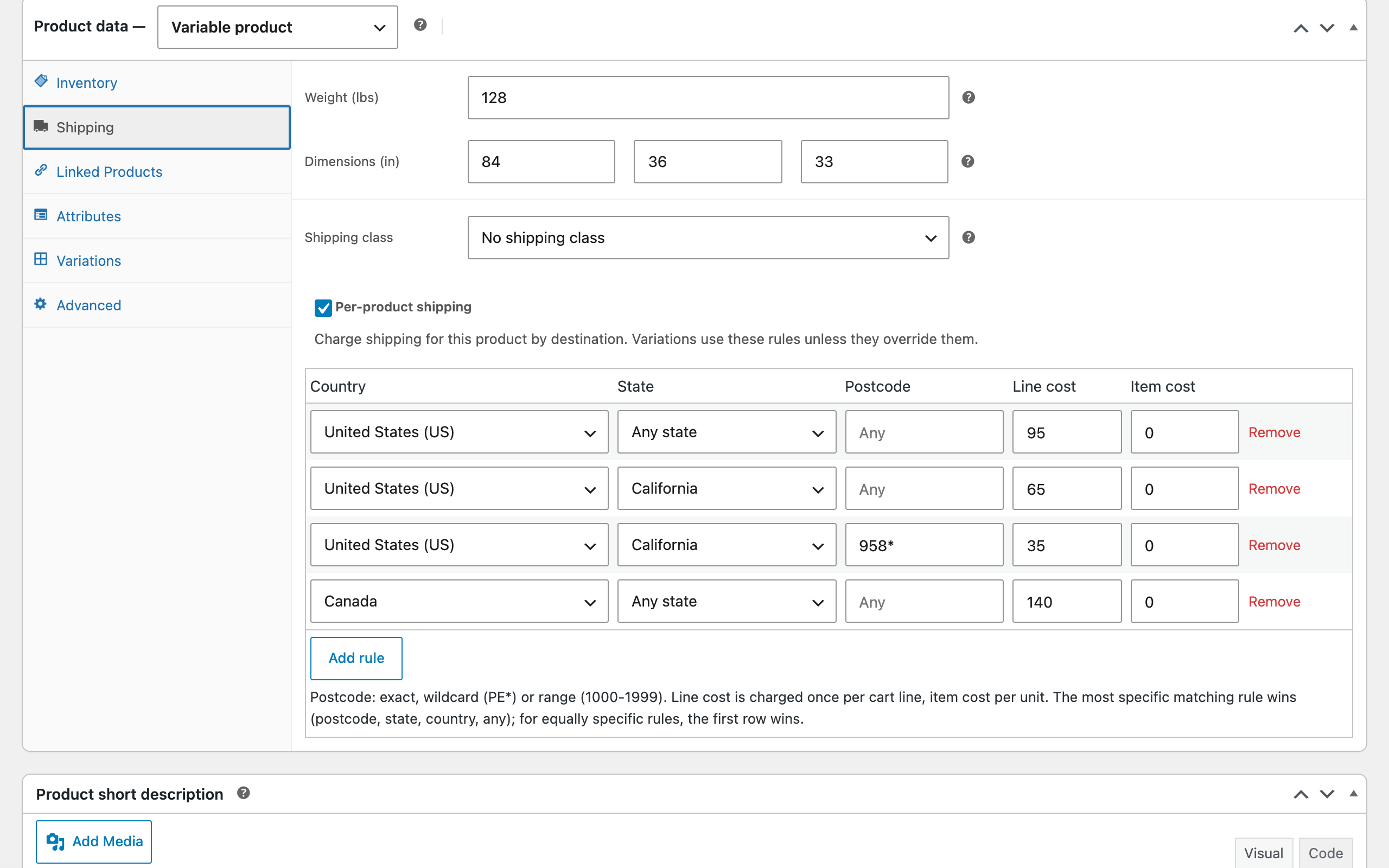
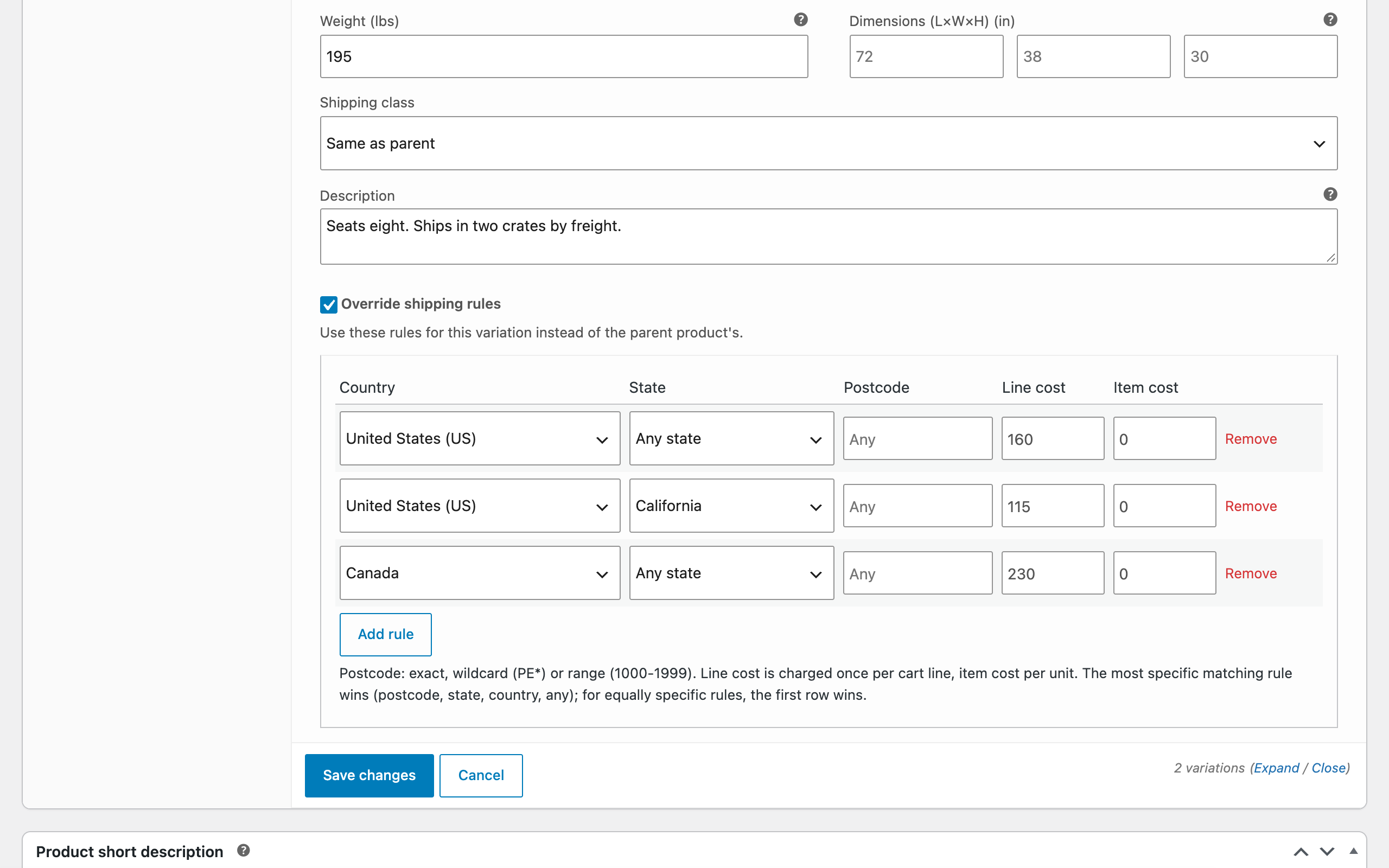
- Rules per product and variation. Country, state and postcode rules with a line cost charged once per cart line and an item cost charged per unit, up to 200 per product. A variation can override the parent product's rules with its own.
- Postcodes like shipping zones. Exact postcodes, wildcards and ranges, matched with the same WooCommerce function shipping zones use. The most specific matching rule wins: postcode, then state, then country, then any.
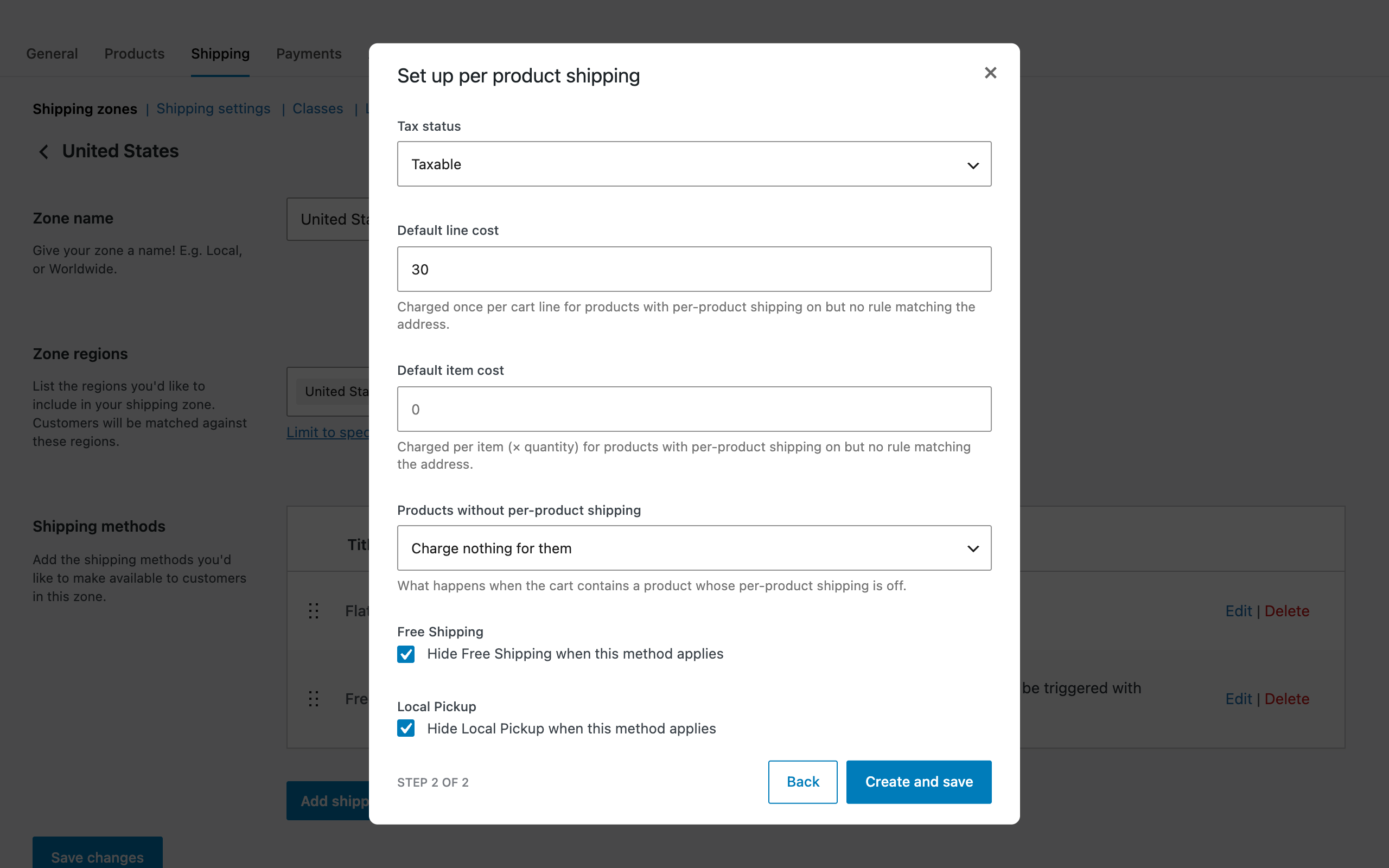
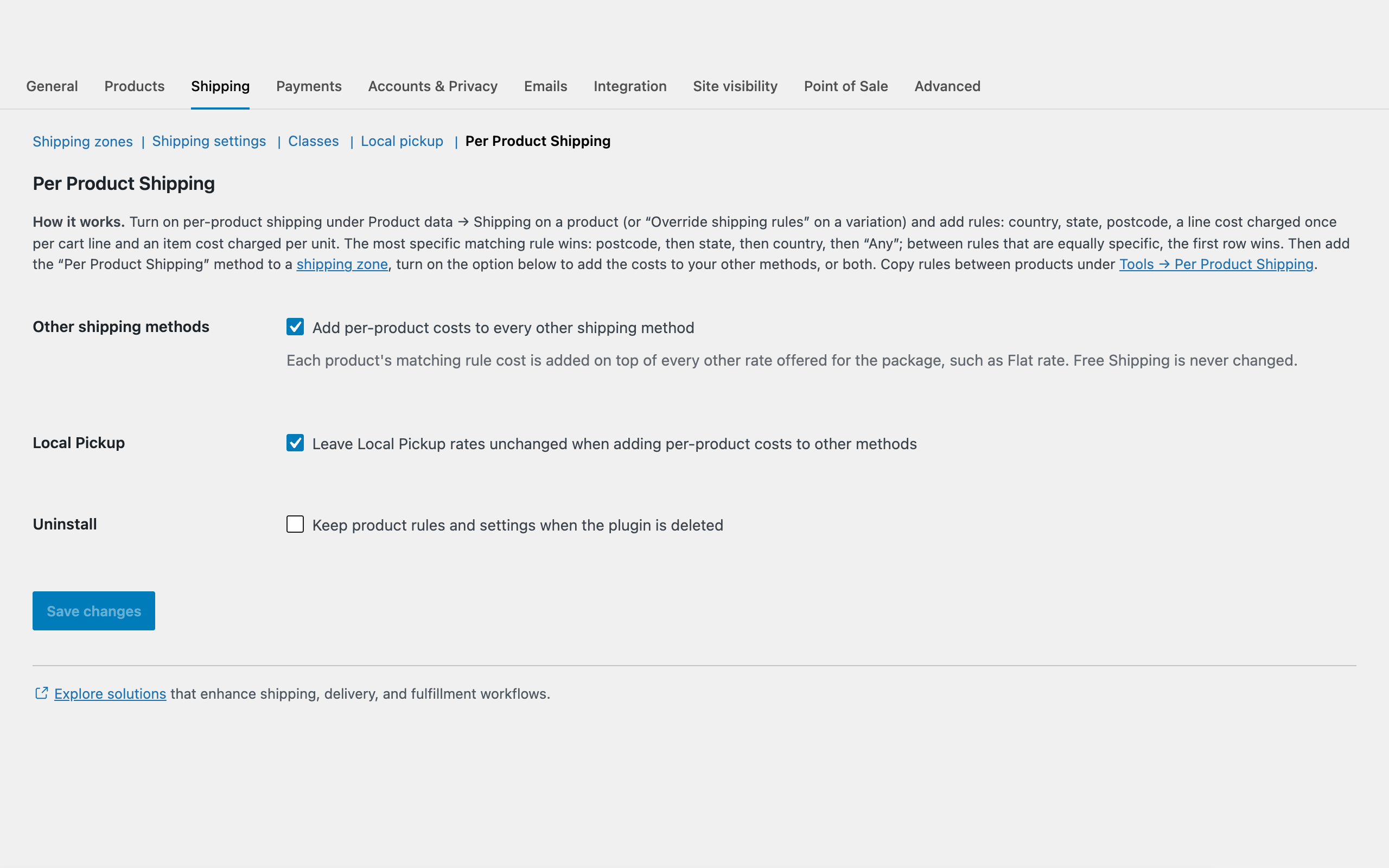
- Per Product Shipping zone method. Add it to any shipping zone with a title, tax status and default costs for products with per-product shipping on but no rule matching the address, and optionally hide Free Shipping and Local Pickup when it applies.
- Or added to your other methods. An option adds each package's per-product cost to every other rate offered for the package, such as Flat rate. Free Shipping is never changed, Local Pickup is left unchanged unless you untick that option, and taxes are recalculated for taxable rates.
- Order breakdown and bulk edit. The admin order screen shows which product cost what; customers do not see it. Quick edit and bulk edit turn per-product shipping on or off and set the Any country rule costs for one or many products.
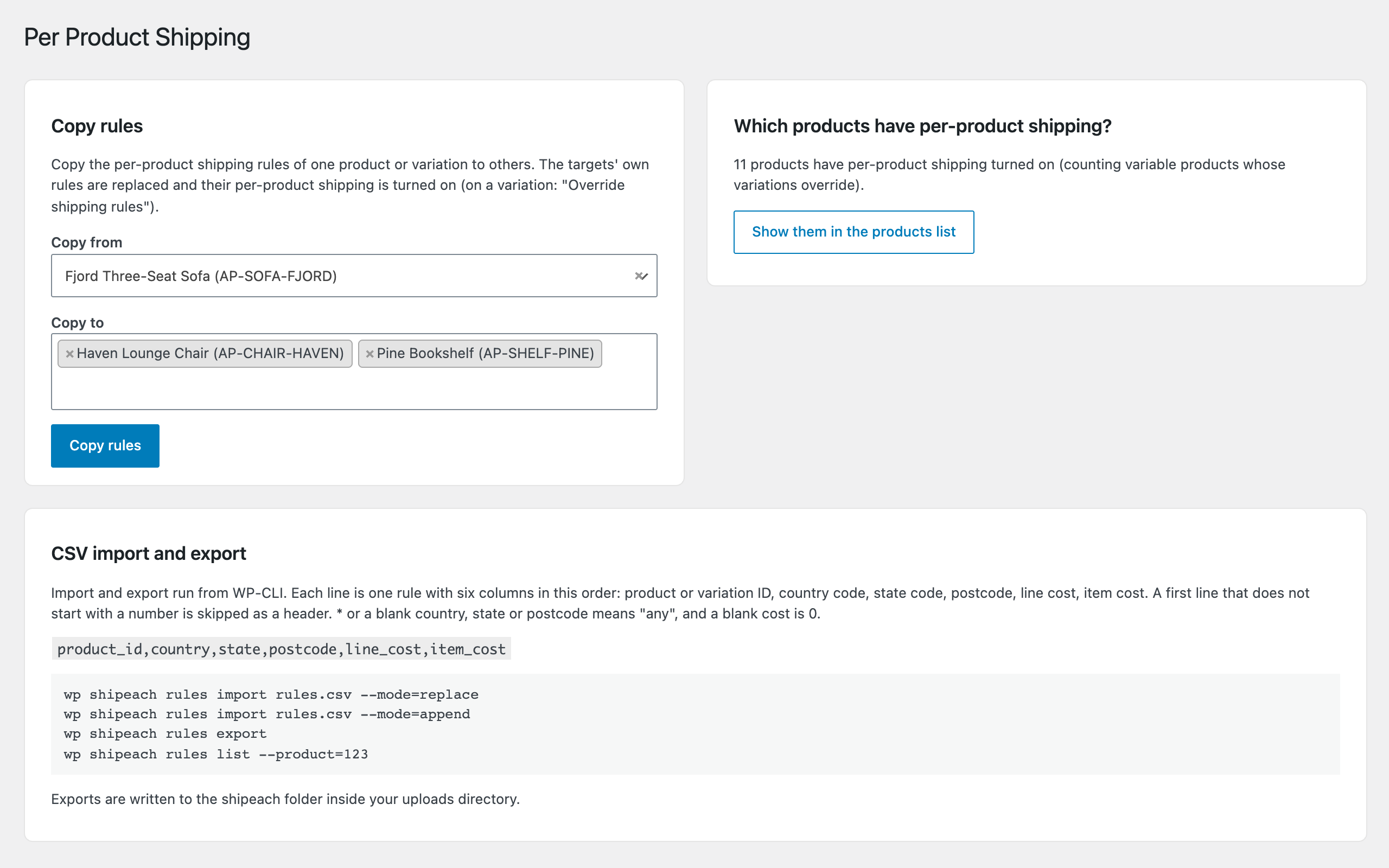
- Tools screen and WP-CLI. Copy the rules of one product or variation to other products and variations, and see how many products use per-product shipping. WP-CLI commands list, set, import and export rules, with CSV files for import and export.
Screenshots
Support & source
Bug reports and questions: the WordPress.org support forum for the plugin, or emtiazzahid@gmail.com. The plugin is GPL-2.0-or-later; the full, unminified source ships inside the plugin package.